

Introduction
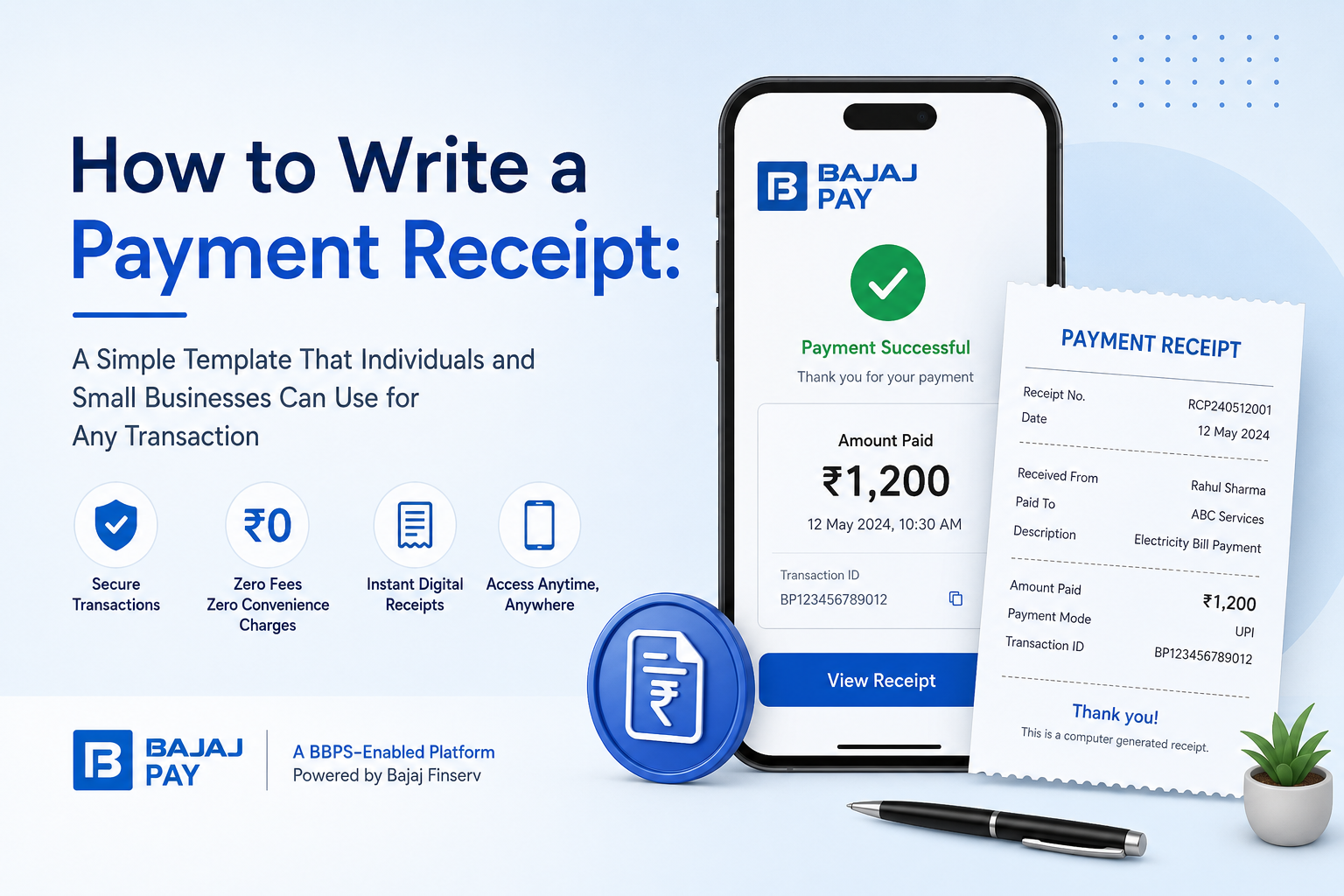
Writing a payment receipt is an essential practice for both individuals and small businesses when documenting transactions. A receipt not only serves as proof of payment but also helps maintain transparency and accountability between the payer and the receiver. Bajaj Pay, a BBPS-enabled platform, simplifies financial transactions and offers free services—zero fees and zero convenience charges—on payments and recharges through the Bajaj Finserv App and website. Whether you need a receipt for money received or to confirm a paid bill receipt, creating one has never been easier with Bajaj Pay.
What is a payment receipt, and how does Bajaj Pay make it easier?
A payment receipt is a formal document that records a transaction, confirming that payment has been received for goods or services. It contains key details such as the names of both parties, the amount paid, the date of the transaction, and a description of the purpose of the payment. Payment receipts are crucial not only for managing finances accurately but also for resolving potential disputes between parties.
Bajaj Pay ensures that creating, storing, and accessing digital receipts is hassle-free for all your transactions. Whether it’s a paid bill receipt for utilities, a transaction receipt for online purchases, or confirmation of money received for any service, Bajaj Pay generates instant digital receipts. Its BBPS-certified infrastructure ensures that every transaction is secure. Available on the Bajaj Finserv App and Bajaj Pay website, users can complete transactions with zero charges and gain access to digital payment receipt templates in India that streamline paperwork easily.
Features of payment receipts on Bajaj Pay
Bajaj Pay makes managing payment receipts quick and convenient with its comprehensive features:
BBPS-certified and RBI-regulated platform
- Your transactions are secure and reliable with the highest compliance with financial regulations.
Zero fees on all transactions
- Every transfer, payment, or bill settlement is free from any hidden costs or convenience charges.
Accessible via multiple platforms
- Manage payment receipts digitally via the Bajaj Finserv App or Bajaj Pay website from anywhere.
Multiple payment modes
- Choose from UPI, net banking, debit card, or credit card, making transactions more flexible.
Instant confirmation and digital receipts
- Complete a transaction and receive a digital receipt immediately for easy documentation.
Wide network of billers and service providers
- Includes utility companies, telecom operators, loan servicing, and more.
Auto-pay options
- Never miss a recurring bill or payment by setting up automated processes.
24×7 availability
- Complete transactions and generate receipts anytime with uninterrupted service.
Top 5 use cases for payment receipts on Bajaj Pay
Bajaj Pay supports various transactions through which you can seamlessly generate digital payment receipts:
1. Utility Payments
- Pay electricity, water, and gas bills and receive a paid bill receipt in a format you can download and share.
- Covers major service providers across India.
- Instant confirmation reduces the risk of delayed payments penalties.
2. Mobile and DTH Recharges
- Recharge prepaid and postpaid mobile numbers or pay DTH bills with zero fees.
- Digital receipts ensure proper tracking for future reference.
3. Loan and EMI Payments
- Make timely EMI payments for loans taken from various financial institutions.
- Use transaction receipts to verify your payments regularly.
4. FASTag Recharges
- Replenish your FASTag accounts instantly without any extra charges.
- Download detailed receipts of FASTag payments for personal or business needs.
5. Money Transfers
- Transfer money to any bank account in India with complete ease and rapid acknowledgment through secure transaction receipts.
Things to keep in mind before creating or requesting a payment receipt
When creating or obtaining a payment receipt, keep the following tips in mind to ensure efficiency and accuracy:
Essential information to include
- Always collect or provide essential details such as the payer’s name, amount, and transaction date.
- Double-check the biller or beneficiary details before completing the transaction.
- Note the payment method (e.g., cash, card, or online banking) for clear records.
Best practices for managing receipts
- If the payment is recurring, enable the auto-pay feature on Bajaj Pay to avoid late fees or missed due dates for receipts.
- Check the “Offers and Rewards” section on Bajaj Pay before making a transaction, as it might provide added benefits or discounts.
- Ensure a steady internet connection for smooth payment processing without disruptions.
- Save or download digital payment receipts for later reference or to resolve disputes.
Benefits of paying through Bajaj Pay
Using Bajaj Pay ensures you enjoy several unique benefits when managing payments and generating payment receipts:
1. Zero fees and charges
Bajaj Pay allows users to make payments and generate receipts without any hidden costs or convenience fees.
2. Exclusive rewards and offers
Every eligible transaction unveils cashback opportunities and personalized deals in the Bajaj Pay Offers section.
3. Secure platform
Bajaj Pay is BBPS-certified and RBI-regulated, ensuring your transactions are protected with top-tier encryption.
4. All-in-one platform
It’s a versatile tool for all payment needs, from recharges and bill payments to money transfers and loans, all accessible from the Bajaj Finserv App or website.
5. Instant confirmation and digital receipts
Whether creating a paid receipt for a bill or downloading a receipt for money received, Bajaj Pay offers travel-ready and legally compliant receipts in real time after each transaction.
How to create a payment receipt using the Bajaj Finserv App
Here’s a step-by-step guide to creating or obtaining a payment receipt:
Step 1
Open the Bajaj Finserv App on your smartphone or visit the Bajaj Pay website on your browser.
Step 2
Log in with your registered mobile number or create an account if you’re a new user.
Step 3
Navigate to the relevant section (Bill Payments, Recharge, FASTag, Money Transfer, or Offers) on the homepage.
Step 4
Select your service provider, utility, bank, or beneficiary name for the transaction you wish to pay.
Step 5
Fill in all necessary details, such as account number, mobile number, or consumer ID.
Step 6
Verify the payment amount, select your preferred payment mode, and proceed to checkout.
Step 7
Once the payment is complete, a digital receipt will be instantly generated, which you can save or share for your records.
Conclusion
Writing or generating a payment receipt is a simple yet crucial step in documenting financial transactions. With Bajaj Pay, users can make transactions stress-free and gain access to instant digital receipts, ensuring transparency and record-keeping. Bajaj Pay’s zero fees, user-friendly platform, and rewards program make it a convenient and cost-effective solution for all your payment needs. Download the Bajaj Finserv App or visit the Bajaj Pay website today to experience secure and seamless payment processing with added benefits.















Leave a Reply