

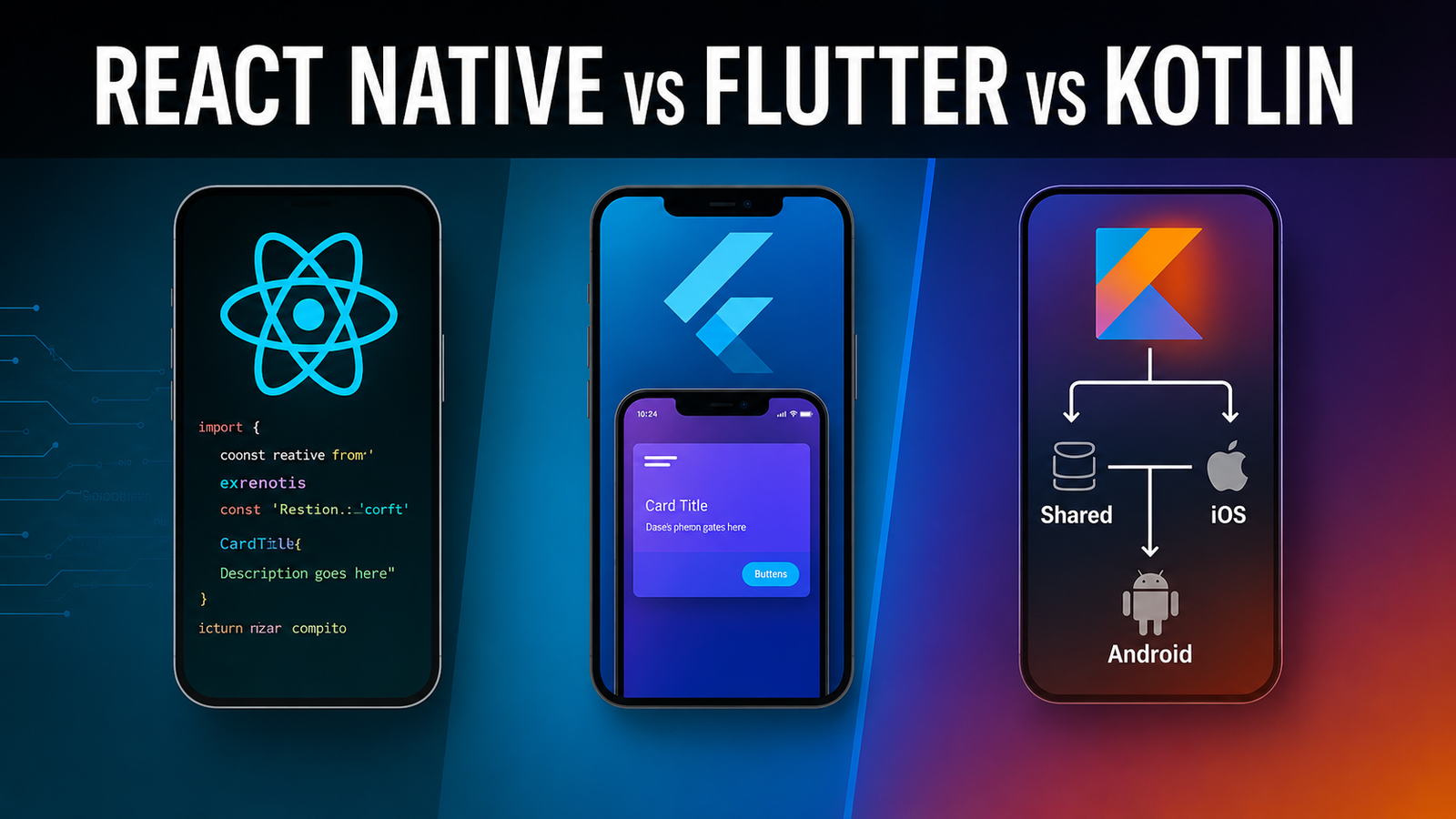
Choosing the right framework for your mobile app is one of the most consequential technical decisions you will make. Get it right and your team moves fast, your app performs well, and your codebase stays maintainable for years. Get it wrong and you spend months refactoring, fighting platform limitations, or explaining to stakeholders why the app feels sluggish on one platform but not the other.
Flutter, React Native, and Kotlin Multiplatform are the three frameworks that dominate serious conversations right now. Each has a strong community, real production usage, and genuine advantages — but they are built on fundamentally different philosophies. That means the right choice depends heavily on your specific situation: your team’s existing skills, your app’s requirements, your timeline, and your long-term plans.
This guide breaks down each framework honestly — what it is good at, where it falls short, and who it is actually built for. By the end, you will have a clear framework for making this decision rather than a generic recommendation that ignores your context.
For mobile app development companies advising clients on technology choices, this comparison is especially relevant. Recommending the wrong framework can cost a client significant time and money — recommending the right one builds long-term trust.
Understanding the Core Philosophy Behind Each Framework
Before comparing features and benchmarks, it helps to understand the foundational approach each framework takes. This matters because philosophy shapes everything downstream — performance characteristics, developer experience, platform fidelity, and long-term maintainability.
Flutter: One UI Engine to Rule Them All
Flutter, developed by Google, takes a radical approach to cross-platform development. Rather than trying to map components to native UI elements, Flutter ships its own rendering engine (Skia, now transitioning to Impeller) and draws every pixel of the UI itself. This means a Flutter app looks and behaves identically on iOS, Android, web, and desktop — because it is literally drawing its own interface rather than delegating to the platform.
The language is Dart, which Google developed specifically with Flutter in mind. It compiles to native ARM code for production, which contributes to Flutter’s strong performance characteristics.
React Native: Bridge to Native Components
React Native, created by Meta, takes the opposite approach. It uses JavaScript (or TypeScript) to write your application logic and then maps your components to actual native UI elements — so a in React Native becomes a real UIButton on iOS and a real Android Button on Android.
The original architecture used a JavaScript bridge to communicate between JS code and native components. A newer architecture called the New Architecture (using JSI and Fabric) eliminates much of that bridge overhead and significantly improves performance. Most serious React Native projects in production are now migrating to or already on the New Architecture.
Kotlin Multiplatform: Share Logic, Keep Native UI
Kotlin Multiplatform (KMP), developed by JetBrains, takes a more conservative and arguably more pragmatic approach. Rather than trying to share UI code across platforms, KMP focuses on sharing business logic — data models, network calls, database access, validation, and other non-UI code — while letting each platform keep its own native UI.
This means on iOS your UI is still SwiftUI or UIKit, and on Android it is Jetpack Compose or XML layouts. You write Kotlin for the shared layer, and that shared code compiles to both JVM bytecode for Android and native frameworks for iOS via Kotlin/Native.
Flutter: Deep Dive
What Flutter Gets Right
Pixel-perfect UI consistency. Because Flutter draws its own UI, your app looks exactly the same on every device and platform. For brands that care deeply about visual consistency — fintech apps, design-forward consumer products, enterprise tools — this is a genuine advantage.
Performance. Flutter’s ahead-of-time compilation and custom rendering engine deliver smooth 60fps (and 120fps on supported hardware) animations without the JavaScript bridge overhead that plagued older React Native versions. Complex animations, custom UI components, and highly interactive interfaces all perform well in Flutter.
Rich widget library. Flutter ships with an enormous library of pre-built widgets that follow both Material Design and Cupertino (iOS-style) design systems. You can build a polished, complete UI using only first-party Flutter widgets without reaching for third-party libraries.
Single codebase for six platforms. Flutter officially supports iOS, Android, web, Windows, macOS, and Linux from a single codebase. No other framework matches this breadth.
Hot reload. Flutter’s hot reload is genuinely fast and reliable. You see UI changes in under a second without losing application state, which dramatically speeds up the iteration cycle when building interfaces.
Where Flutter Falls Short
Dart is a niche language. Most developers do not know Dart before picking up Flutter. The learning curve is manageable — Dart is a clean, well-designed language — but you are hiring from a smaller pool and adding a language to your team’s stack.
Larger app size. Because Flutter bundles its own rendering engine, Flutter apps are larger than comparable native or React Native apps. This matters more in markets where device storage and download sizes are concerns.
Platform-specific behavior requires extra work. Because Flutter does not use native UI components, replicating subtle platform-specific behaviors — the exact feel of an iOS scroll physics, the specific animation timing of Android transitions — requires deliberate effort. Most users will not notice, but platform purists will.
Web and desktop are still maturing. While Flutter’s mobile support is production-grade, the web and desktop targets have more rough edges. Teams building primarily for web should evaluate carefully before committing.
Who Should Choose Flutter
Flutter is the right choice for teams that prioritize UI consistency and design quality, want a single codebase that genuinely works across all major platforms, are building consumer-facing apps with complex custom interfaces, or are starting fresh without a strong JavaScript background. It is also a strong choice for mobile app development companies that need to deliver polished cross-platform apps under tight timelines.
React Native: Deep Dive
What React Native Gets Right
JavaScript and TypeScript ecosystem. React Native lets web developers bring their existing JavaScript and TypeScript skills directly to mobile development. For teams already building with React on the web, the transition to React Native is smoother than picking up Flutter or Kotlin.
Massive ecosystem and community. React Native has been in production since 2015. The ecosystem is enormous — there are third-party libraries for almost everything, extensive Stack Overflow coverage, and a huge pool of developers who know it well. Finding experienced React Native developers is easier than finding experienced Flutter or KMP developers.
Code sharing with web. Teams building both a web app and a mobile app in React can share significant amounts of business logic, state management code, and utility functions between their web and React Native codebases. For product teams maintaining both a web and mobile presence, this is a real efficiency gain.
Expo for faster bootstrapping. The Expo platform sits on top of React Native and abstracts away much of the native configuration complexity. For teams that do not need deep native customization, Expo dramatically reduces the time to get a production-ready app up and running.
The New Architecture is a genuine improvement. The JSI (JavaScript Interface) and Fabric renderer in React Native’s New Architecture eliminate the asynchronous bridge that was the source of many performance complaints. Teams on the New Architecture see meaningfully better performance, especially for UI-heavy interactions.
Where React Native Falls Short
Native modules and the bridge. Whenever you need native functionality that React Native does not support out of the box, you need to write native modules in Swift/Objective-C or Kotlin/Java. This requires native platform expertise and breaks the pure JavaScript workflow. It is manageable but adds friction.
JavaScript runtime overhead. Even with the New Architecture, React Native apps run JavaScript in a JS engine at runtime. For computationally intensive operations — heavy data processing, complex animations, real-time audio/video — this creates overhead that purely native or Flutter apps do not have.
Dependency fragmentation. Because the React Native ecosystem is large and moves fast, libraries are at different stages of adopting the New Architecture. Teams building on React Native today need to actively manage library compatibility, which adds maintenance overhead.
Debugging complexity. Debugging across the JavaScript layer, the native bridge, and platform-specific code can be more complex than debugging a purely native or Flutter app. The tooling has improved significantly but the multi-layer architecture still adds cognitive load.
Who Should Choose React Native
React Native is the right choice for teams with strong JavaScript or TypeScript skills, organizations that already have React web developers who need to build mobile apps, products that need to share logic with a web React codebase, and teams that value ecosystem breadth and the ability to find third-party solutions quickly. Many mobile app development companies with JavaScript-first teams default to React Native for good reason.
Kotlin Multiplatform: Deep Dive
What Kotlin Multiplatform Gets Right
100% native UI on every platform. Because KMP only shares business logic, the UI on each platform is fully native. iOS users get a real SwiftUI interface. Android users get a real Jetpack Compose interface. There are no compromises in platform fidelity, no subtle behavior mismatches, and no “close enough” approximations.
Gradual adoption. KMP is the only framework on this list that can be added incrementally to existing native apps. You do not have to rewrite anything to start using it. You can share one module — authentication logic, for example — and gradually expand the shared layer over time. This makes it ideal for teams that have existing native codebases.
Strong Kotlin ecosystem for the shared layer. Kotlin is a mature, well-loved language with excellent tooling and a strong JetBrains-backed ecosystem. Libraries like Ktor (networking), SQLDelight (database), and Koin (dependency injection) work well in the shared KMP layer.
No performance compromise. Shared Kotlin code compiles directly to native on iOS and JVM bytecode on Android. There is no runtime overhead from a JS engine or a custom rendering layer. Performance in the shared business logic layer is identical to what you would get writing it natively.
Jetpack Compose Multiplatform. JetBrains has developed Compose Multiplatform, which extends Jetpack Compose to iOS, desktop, and web. This gives teams the option to share UI code if they want to, making KMP’s approach more flexible. This is still maturing for iOS but is actively being improved.
Where Kotlin Multiplatform Falls Short
You still write two UIs. If you are sharing business logic but writing native UIs for both iOS and Android, you need developers with both Kotlin/Android and Swift/iOS skills on your team. For small teams or companies without native iOS expertise, this is a real constraint.
Smaller ecosystem. KMP is significantly newer than Flutter and React Native. The third-party library ecosystem is smaller, documentation is thinner in some areas, and fewer developers have production experience with it. You will run into edge cases that have limited community coverage.
iOS tooling complexity. Setting up the iOS integration for a KMP project — particularly the Xcode configuration and Kotlin/Native compilation — can be finicky. The tooling has improved considerably but it still requires more setup expertise than the other frameworks.
Not the right choice for greenfield apps without native teams. If you are starting from scratch and do not have iOS and Android specialists, KMP’s logic-sharing-only model means you are effectively building two separate apps with a shared library. That is more work, not less, compared to Flutter or React Native.
Who Should Choose Kotlin Multiplatform
KMP is the right choice for teams with existing native iOS and Android apps that want to reduce code duplication in their business logic, organizations with dedicated native platform expertise on both iOS and Android, products where platform-specific UI is non-negotiable, and teams that want to adopt cross-platform gradually without rewriting existing codebases.
Direct Comparison: The Key Dimensions
Performance
All three frameworks deliver acceptable performance for the vast majority of mobile applications. For day-to-day app interactions — lists, forms, navigation, animations — users will not be able to tell the difference between a well-built Flutter app and a well-built React Native app.
Where differences emerge is at the extremes. KMP with native UIs delivers the best possible performance because there is no abstraction layer over the UI. Flutter is close behind for UI-intensive apps thanks to its compiled rendering engine. React Native on the New Architecture is significantly better than it used to be but still has a JavaScript runtime layer that creates overhead in compute-heavy scenarios.
Developer Experience
React Native wins on accessibility — more developers already know JavaScript. Flutter is close behind with excellent tooling, great documentation, and a developer experience that is widely praised. KMP has strong tooling in the JetBrains ecosystem but requires platform expertise to fully leverage.
Time to Market
For greenfield apps with a team new to all three frameworks, Flutter tends to get to a working product fastest because the single codebase covers all UI across platforms. React Native with Expo is close. KMP is slowest for greenfield projects because of the dual-UI requirement.
Long-Term Maintainability
All three frameworks are well-maintained and have strong backing. Google backs Flutter, Meta backs React Native, and JetBrains (with Google support) backs Kotlin Multiplatform. None of them is going away. Long-term maintainability depends more on how well your codebase is structured than on which framework you chose.
How Mobile App Development Companies Should Think About This Decision
For mobile app development companies advising clients or making technology decisions for their own team, the framework choice should be driven by three questions:
What are your team’s existing skills? This is the most important question. The best framework is the one your team can use most effectively right now. Do not adopt Flutter if your entire team is JavaScript developers, and do not adopt React Native if you have a strong Kotlin and native Android background.
What does the app actually need? A brand-focused consumer app with complex custom animations plays to Flutter’s strengths. An enterprise app with a companion web product plays to React Native’s strengths. An app that needs to add a shared business logic layer to existing native codebases is ideal for KMP.
What is the realistic timeline and budget? Greenfield projects with tight timelines favor Flutter or React Native. Incremental projects with existing native teams favor KMP. Honest conversations about scope and resources should shape this decision as much as technical considerations.
Final Thoughts
There is no universally correct answer to the Flutter vs React Native vs Kotlin Multiplatform question. Each framework is genuinely excellent in the right context — and genuinely problematic in the wrong one.
Flutter wins when you need a beautiful, consistent UI across all platforms and you want a single codebase to deliver it. React Native wins when your team speaks JavaScript and you want the broadest possible ecosystem to build on. Kotlin Multiplatform wins when you want to share business logic between existing native apps without touching the UI layer.
For mobile app development companies, the most valuable thing you can do for a client is ask the right questions before choosing a framework — not default to the one your team knows best regardless of the project requirements. The three minutes spent understanding the client’s team, timeline, and app needs will save months of painful rebuilding later.
The frameworks will keep evolving. Flutter is investing in Impeller. React Native is maturing its New Architecture. Kotlin Multiplatform is expanding Compose Multiplatform. All three will be stronger options a year from now than they are today. What will not change is the importance of matching the framework to the team and the problem — that is the decision that actually determines whether your mobile app gets built well.
Frequently Asked Questions
Which is better: Flutter or React Native?
Neither is universally better. Flutter is better for teams that want pixel-perfect UI consistency, do not have a JavaScript background, and are building design-heavy consumer apps. React Native is better for teams with JavaScript expertise, products that share logic with a React web app, and projects that need a large ecosystem of third-party libraries. The right choice depends on your team and your app.
Is Kotlin Multiplatform production-ready?
Yes. Kotlin Multiplatform is stable and used in production by companies including Netflix, VMware, and Cash App. The business logic sharing layer is mature and reliable. Compose Multiplatform for shared UI is still maturing on iOS but is viable for many use cases. Teams should evaluate it based on their specific needs.
Can React Native match native performance?
For most apps, yes. The New Architecture (JSI + Fabric) has significantly closed the performance gap between React Native and native development. For computationally intensive use cases — complex animations at high frame rates, real-time audio/video processing, heavy data transformation — native or Flutter may still have an edge.
Which framework do most mobile app development companies use?
React Native and Flutter are both widely used by professional mobile app development companies. React Native has a longer history and larger installed base. Flutter has been growing rapidly and is the preferred choice for many newer projects. Kotlin Multiplatform adoption is growing, particularly among companies with existing native app codebases.
Should I use Flutter for a startup’s first app?
Flutter is an excellent choice for startups building their first mobile app. The single codebase covers iOS and Android simultaneously, the widget library makes it fast to build polished interfaces, and the performance is strong. The main consideration is whether your team is comfortable learning Dart — if your developers already know JavaScript, React Native with Expo may get you to your first version faster.
What is the difference between Kotlin Multiplatform and Flutter?
The fundamental difference is in philosophy. Flutter shares everything — business logic and UI — across platforms using its own rendering engine. Kotlin Multiplatform shares only business logic while keeping native UI on each platform. Flutter means one codebase for everything. KMP means a shared library used by separate native apps.
Is React Native dead?
No. React Native is actively developed by Meta and a large open-source community. The New Architecture is a significant modernization that addresses the performance and architectural issues that led some teams to leave the framework. React Native has a large, established ecosystem and continues to be one of the most widely used mobile frameworks in production.
Which framework is easiest to learn for a web developer?
React Native is the most accessible framework for web developers because it uses JavaScript or TypeScript and component patterns that are familiar to anyone who has built with React. Flutter requires learning Dart, which has a steeper initial learning curve for web developers. Kotlin Multiplatform requires Kotlin knowledge and native platform expertise, making it the least accessible starting point for developers without mobile background.






















Leave a Reply