

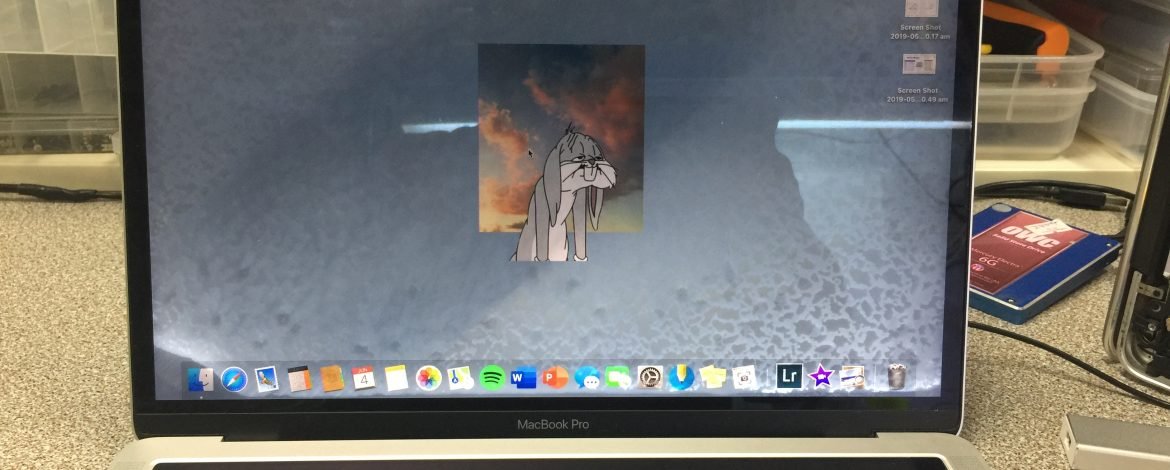
Water damage is one of the most common yet frustrating issues that MacBook and iMac owners face. A single accidental spill or exposure to moisture can lead to significant problems, affecting the performance and longevity of your device. While Apple products are known for their durability and innovation, they are not immune to liquid damage, and addressing it promptly is crucial to prevent permanent harm. Understanding the process of MacBook and iMac repairs, and knowing the best ways to handle water exposure, can save both your device and your peace of mind.
Understanding the Risks of Water Damage
MacBook and iMac devices are designed with precision, featuring sensitive components such as logic boards, SSDs, and delicate connectors. When water comes into contact with these internal elements, it can create short circuits, corrosion, and even permanent hardware failure. The longer a device remains wet or damp, the higher the risk of irreversible damage. Even if the device seems to function normally after a spill, tiny traces of moisture can continue to corrode components over time. This makes early detection and immediate intervention essential for successful repairs.
Water damage can present in several ways. You might notice unusual behavior like the screen flickering, the device not powering on, or keys responding inconsistently. Sometimes, your MacBook or iMac might appear completely unaffected at first, only for problems to arise days or weeks later. Recognizing these early signs and taking quick action is vital to preventing more serious repairs or costly replacements.
Immediate Steps After Water Exposure
The first moments after water exposure can determine the extent of the damage. If your MacBook or iMac gets wet, avoid the temptation to turn it on immediately. Powering on a wet device can create short circuits, causing further damage to internal components. Instead, gently blot the surface to remove excess liquid and place the device in a dry, ventilated area. Some users suggest using silica gel packets or specialized drying tools designed for electronics to absorb moisture effectively.
It’s also important to disconnect any peripherals and remove the power supply if possible. While waiting for professional repair, do not attempt to open the device yourself unless you are trained to handle sensitive electronics. DIY fixes may seem tempting, but they can worsen the situation and void any existing warranty. Professional MacBook and iMac repairs require specialized tools and experience to safely address water damage.
Professional MacBook and iMac Repairs
Water damage repair is a delicate process that requires both expertise and precision. At a professional repair center, technicians start by disassembling the device carefully to assess the extent of water exposure. Each component, from the logic board to connectors and batteries, is inspected for corrosion or damage. A thorough cleaning using specialized solutions ensures that lingering moisture and mineral deposits are removed, reducing the risk of future issues.
In some cases, certain components may need replacement. Logic boards, keyboards, or displays that have suffered significant damage are carefully swapped with high-quality parts to restore full functionality. Experienced technicians also perform extensive testing after the repair to ensure that the device operates normally and reliably. This careful, step-by-step approach is essential because even a small mistake can lead to recurring problems.
Preventing Future Water Damage
While accidents are sometimes unavoidable, there are ways to reduce the likelihood of water damage to your MacBook or iMac. Using protective cases and keyboard covers, keeping drinks and liquids away from your workspace, and storing devices in safe, dry locations are simple yet effective measures. Additionally, regular maintenance checks can help identify early signs of corrosion or moisture buildup, allowing for proactive repairs before major damage occurs.
It’s also beneficial to understand the environmental conditions that can affect your device. High humidity, sudden temperature changes, and exposure to rain or condensation can all contribute to internal damage over time. By taking preventive steps, you not only protect your device but also extend its lifespan, ensuring it continues to perform at its best.
Why Choose Experts for Repairs
MacBook and iMac repairs require a level of expertise that goes beyond general electronics knowledge. Professional repair services have access to the right tools, replacement parts, and industry experience needed to handle water damage effectively. Attempting repairs without this expertise can lead to permanent damage, higher costs, and wasted time. By entrusting your device to skilled technicians, you ensure that it receives the care and attention necessary to restore it safely and reliably.
Repair Geniuses: Your Partner in Water Damage Solutions
Repair Geniuses specializes in comprehensive MacBook and iMac repairs, with a focus on water damage recovery. Their team understands the urgency and precision required when handling wet devices. With advanced diagnostic tools and expert techniques, Repair Geniuses carefully assesses each device, addresses corrosion, and performs necessary replacements to restore full functionality. Their commitment to quality ensures that every repair is thorough, leaving your MacBook or iMac performing like new. For anyone facing the stress of water damage, Repair Geniuses provides a trusted solution, combining technical expertise with customer-focused service to give your device the care it deserves.












Leave a Reply